
Every organization sends sensitive information by email: a new employee’s first password, a customer’s API key, a signed contract, a set of recovery codes. Once it’s sent, it sits in inboxes, sent folders and backups indefinitely, readable by anyone who gets into any one of those mailboxes.
Today we’re introducing Emberseal, our self-hosted platform for secure messaging and credential sharing. It’s built around three ideas: deliver secrets so only the intended person can read them, make sure your data loss prevention (DLP) controls still apply, and prove that the emails it sends really come from you.
How Emberseal delivers a message securely
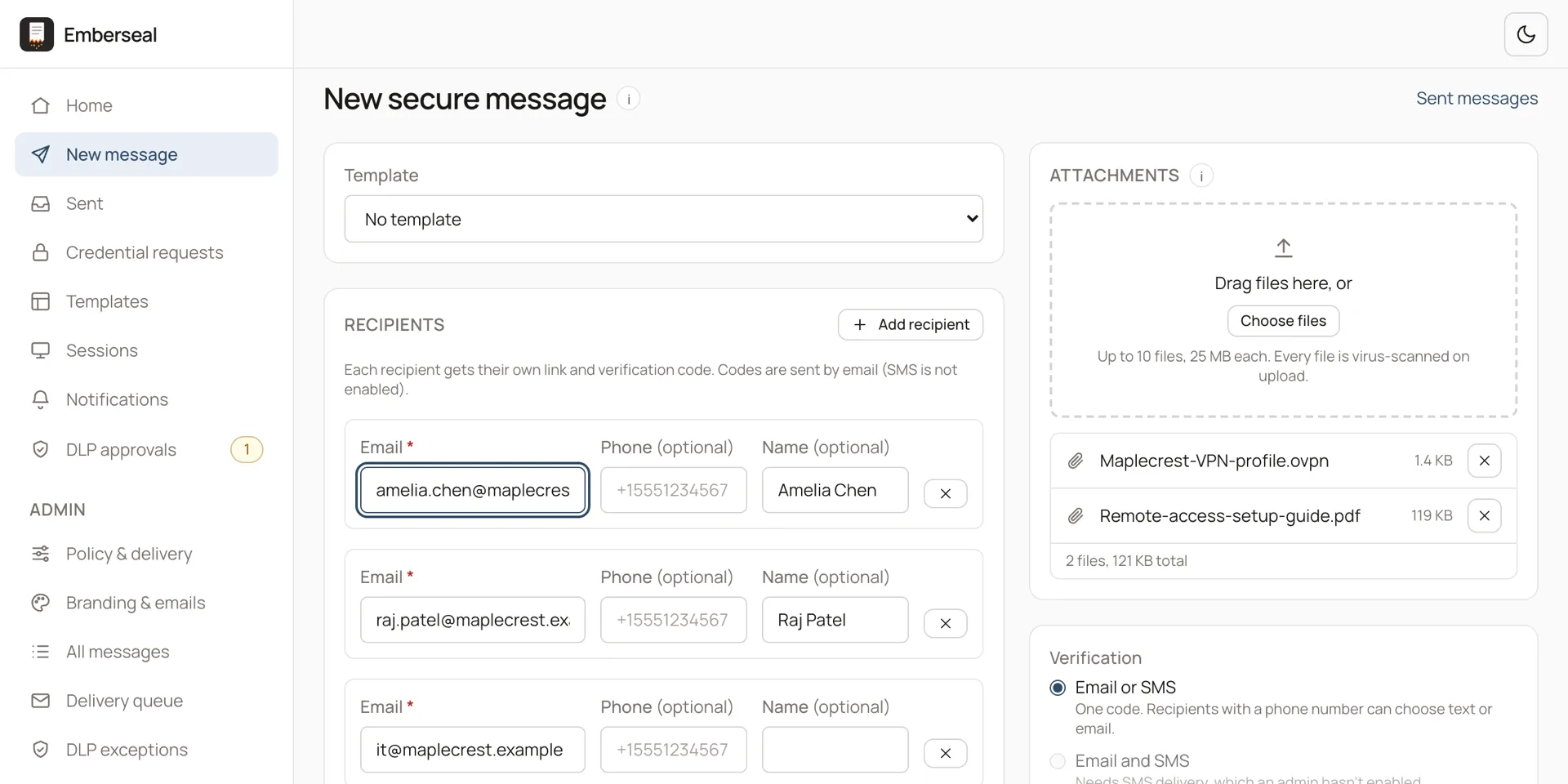
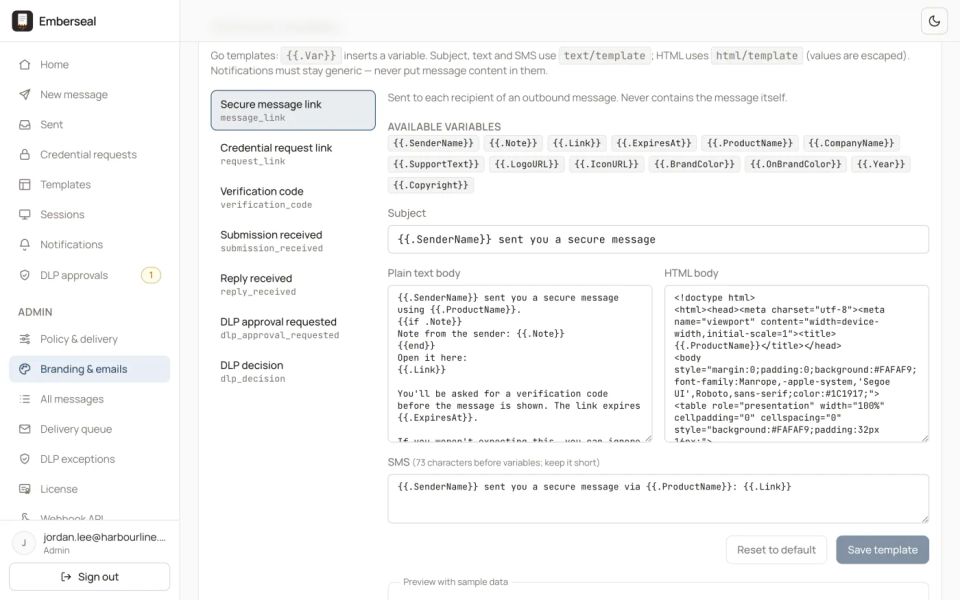
When a staff member sends a secure message, each recipient receives a notification email with a link that’s unique to them. That’s all the email contains.
- The link alone shows nothing. Before anything is displayed, the recipient asks for a one-time code, which goes to their own email address, or their phone by text message. Only after entering it can they read, download and reply in the browser, with no account or app.
- A forwarded email is useless. If the notification is forwarded, the code still goes to the original recipient, not to whoever has the link. The attempt is recorded in the message’s access trail, with its IP address and browser.
- Messages don’t live forever. Every message has an expiry and a view limit, repeated wrong codes lock the link, and senders or administrators can revoke it at any time.
- Destroyed means destroyed. Each message is encrypted under its own key. When it expires, reaches its view limit, is revoked or the recipient destroys it, that key is deleted along with the content and files, so nothing readable is left on the live system.
- FIPS 140-3 cryptography. Content, keys and codes use only Go’s FIPS 140-3 module in FIPS mode, with AES-256-GCM for content at rest.
It works in the other direction too. A credential request sends a customer a short form with exactly the fields you need. Secret fields are masked as they type, the submission is encrypted the moment it arrives, and you destroy it once you’ve copied the values into your own vault.
Secure channels can become a DLP blind spot
Most organizations have invested in data loss prevention: policies that stop card numbers, health information or confidential documents from leaving by email or upload. But a secure messaging tool can quietly undo that work.
Your email DLP sees the notification email, which only contains a link. The actual content travels through the secure channel, where traditional email and web DLP can’t inspect it. If the secure tool doesn’t check it, it becomes the easiest way for sensitive data to leave without anyone looking, whether by mistake or on purpose.
Emberseal keeps your DLP in the loop
With Emberseal Premium, every message and every file is checked by your DLP platform before it’s stored. Emberseal supports:
- Microsoft Purview, evaluated as the sending user against your DLP policies for the app
- Any ICAP DLP server, such as Symantec/Broadcom Network Prevent for Web, Forcepoint or Trellix
- Google Cloud Sensitive Data Protection
- Nightfall
- A signed webhook to a service of your own
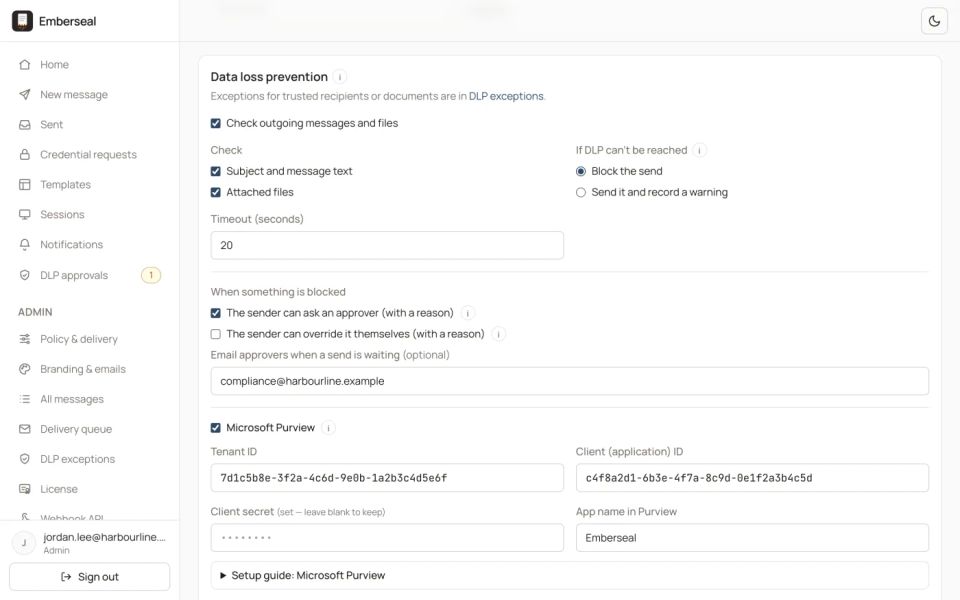
You can use several at once. If something is blocked, nothing is stored or sent, and the sender sees what was flagged.
Real work still needs to get done, so blocks can be lifted only in the ways your policy allows:
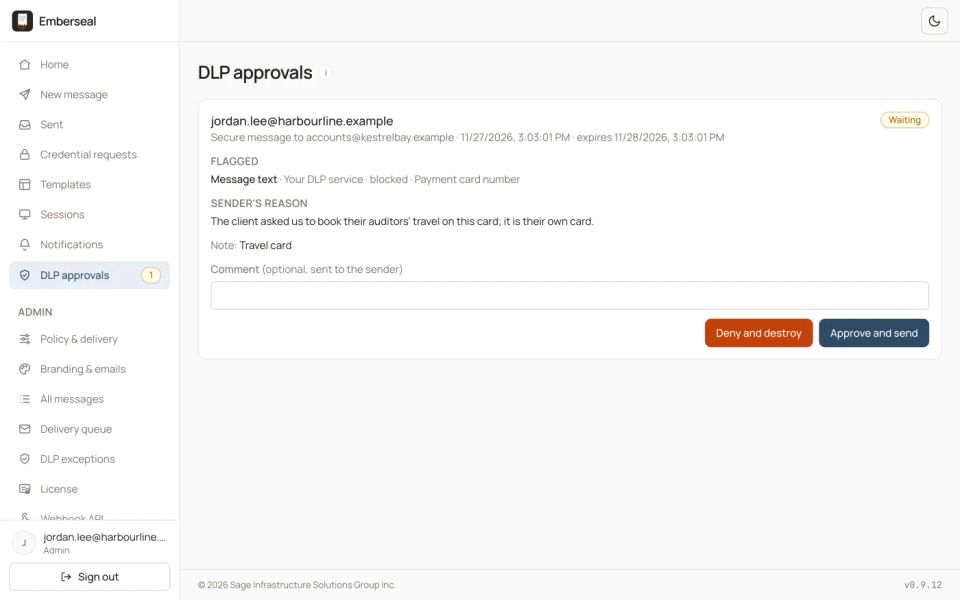
- Approvals without exposure. The sender asks a DLP approver, with a reason. The approver sees who sent it, to whom, what was flagged and why, and approves or denies without ever seeing the content.
- Overrides with a reason. If you allow it, a sender can override a warning by writing down why.
- Standing exceptions. Cover a trusted recipient, a whole domain or one specific document, each with a reason and an optional expiry.
Emberseal fails closed: if your DLP platform can’t be reached, sending stops by default (you can choose to send and record a warning instead). Every check, block, override and approval is written to the audit log, which can be shipped to your SIEM.
The settings page includes step-by-step setup guides for each platform. One note for Microsoft Purview: each sender needs a Purview-capable license, such as Microsoft 365 E5 or the Purview Suite add-on, and Microsoft’s guidance is that Purview pay-as-you-go billing is needed as well. Confirm the exact licensing with your Microsoft contact.
S/MIME: proving the emails really come from you
Secure messaging has one weak point that has nothing to do with encryption: people learn to trust emails that say “you have a secure message”, and attackers know it. A convincing look-alike notification, or a fake “here’s your verification code” email, is a classic phishing lure.
Emberseal Premium can sign every email it sends with S/MIME, including the notification emails and the one-time code emails recipients rely on to open a message. Use a certificate from any certificate authority, uploaded as a password-protected key or a .p12/.pfx file, or keep the private key in Azure Key Vault or Managed HSM so it never sits on the server.
With signing on, Outlook and Apple Mail show recipients who the email came from, and any change to a signed email in transit breaks the signature. That gives recipients a reliable way to tell your real notifications and codes apart from imitations.
S/MIME signing proves where an email came from and that it hasn’t been altered; it doesn’t encrypt it. That’s by design: Emberseal’s emails never contain the message, the attachments or the code they protect, so there’s nothing secret in them to encrypt. For the most sensitive messages, you can also require both an email code and a text-message code before anything is shown.
Built for organizations that keep it in-house
Emberseal is self-hosted only: one container with SurrealDB, Valkey and ClamAV beside it, on amd64 or arm64, in your own environment. There’s no hosted version, so your messages, keys and files never pass through anyone else’s cloud. Staff sign in with any OIDC identity provider, every page and email carries your branding, and other systems can send messages and credential requests through the webhook API (Premium).
Plans and trial
Both plans include unlimited staff users and unlimited recipients.
- Standard (CA$50 a month): secure messages and credential requests, one-time codes, expiry and destruction, the access trail, virus scanning, FIPS 140-3 cryptography, single sign-on, templates, branding and the audit log.
- Premium (CA$100 a month): everything in Standard, plus data loss prevention with approvals, overrides and exceptions, S/MIME-signed email, text-message codes, IP location and VPN flags, the webhook API and scoped MCP access for coding agents.
A new installation runs a 14-day evaluation with every feature switched on, so you can try DLP and S/MIME before choosing a plan.
Want help connecting Emberseal to your DLP platform or identity provider? Talk to our team.